
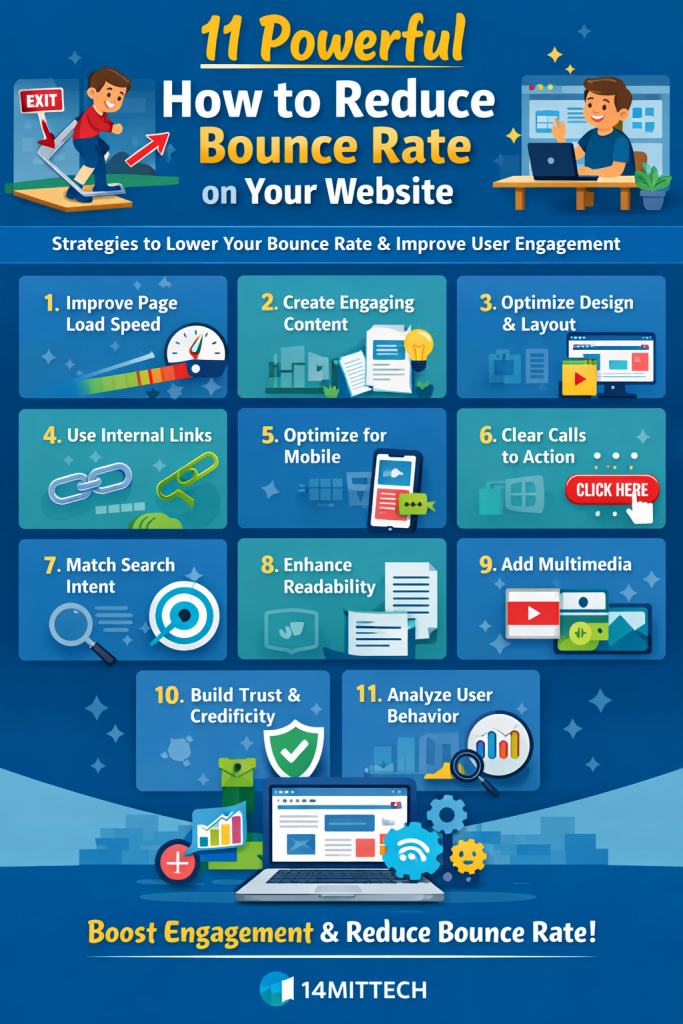
Understanding How to Reduce Bounce Rate on Your Website
Learning how to reduce https://14mittech.com/how-to-turn-website-visitors-into-customer/bounce rate on your website is essential for improving user engagement, increasing conversions, and achieving better search engine rankings. Bounce rate refers to the percentage of visitors who land on a webpage and leave without interacting further. A high bounce rate often indicates that users are not finding what they expected, or the page is failing to capture their interest effectively.
In today’s competitive digital environment, users expect fast-loading pages, relevant content, and seamless navigation. If a website fails to deliver these elements, visitors quickly move on to other options. Search engines like Google also consider user behavior signals when evaluating website quality. Pages with high bounce rates may struggle to maintain strong rankings because they suggest poor user experience.
Understanding how to reduce bounce rate on your website requires a combination of technical optimization, content improvement, and user-focused design. Businesses that invest in improving these areas can significantly enhance user satisfaction and encourage visitors to explore more pages.
Digital marketing professionals, including teams at 14mittech, often focus on reducing bounce rates as part of a broader strategy to improve website performance. By analyzing user behavior and implementing targeted improvements, businesses can create engaging experiences that keep visitors on their site longer.
1. Improve Page Load Speed for Better Engagement
One of the most critical factors in understanding how to reduce bounce rate on your website is page load speed. Modern users expect websites to load almost instantly, and even a delay of a few seconds can cause visitors to leave. Slow-loading pages create frustration and reduce the likelihood that users will stay and interact with the content.
Optimizing images, reducing unnecessary scripts, and using efficient hosting solutions can significantly improve page speed. Faster websites not only provide a better user experience but also perform better in search rankings. When users can quickly access information, they are more likely to stay longer and explore additional pages.
2. Create Highly Relevant and Engaging Content
Content relevance plays a major role in keeping visitors on your website. When users click on a link, they expect to find information that directly answers their query. If the content does not match their expectations, they are likely to leave immediately.
To effectively learn how to reduce bounce rate on your website, businesses must create content that is both informative and engaging. Articles should address specific topics clearly, provide valuable insights, and maintain a logical flow. Engaging introductions, detailed explanations, and strong conclusions help keep readers interested throughout the page.
3. Optimize Website Design and Layout
A well-designed website encourages users to stay longer and interact with content. Poor design, cluttered layouts, or confusing navigation can cause visitors to leave quickly. Clean and visually appealing designs make it easier for users to focus on the content and explore additional sections.
User-friendly layouts include clear headings, readable fonts, and organized sections. When visitors can easily find the information they need, they are more likely to continue browsing the website.
4. Use Internal Linking to Guide Visitors
Internal linking is a powerful strategy for reducing bounce rate because it encourages users to visit additional pages within the website. By linking related content naturally within articles, businesses can guide readers toward more information that matches their interests.
When users find relevant links within a page, they are more likely to click and explore further. This increases session duration and reduces bounce rate. Internal linking also helps search engines understand the structure of the website and improves overall SEO performance.
5. Optimize for Mobile User Experience
A significant portion of website traffic comes from mobile devices, making mobile optimization essential for reducing bounce rates. Websites that are not mobile-friendly often experience higher bounce rates because users struggle to navigate or read content.
Responsive design ensures that pages display correctly on different screen sizes. Mobile-friendly websites provide a smooth browsing experience, allowing users to interact with content easily regardless of the device they are using.
6. Use Clear Calls to Action
Clear calls to action play an important role in guiding users toward the next step. Without direction, visitors may leave the website after reading a single page. Calls to action encourage users to explore more content, sign up for updates, or engage with the brand.
Strategically placed calls to action help keep users engaged and reduce bounce rates by providing clear pathways for interaction.
7. Match Content With Search Intent
Understanding user intent is essential when learning how to reduce bounce rate on your website. Visitors come to a page with specific expectations, and the content must align with those expectations.
For example, informational queries require detailed explanations, while transactional queries may require product details or service descriptions. When content matches user intent, visitors are more likely to stay and engage with the page.
8. Improve Readability and Content Structure
Readable content keeps users engaged and encourages them to stay longer. Large blocks of text can be overwhelming, while well-structured content with clear sections improves readability.
Using proper formatting, spacing, and logical flow makes it easier for users to consume information. When readers can easily understand the content, they are more likely to continue exploring the page.
9. Add Multimedia Elements for Engagement
Images, videos, and visual elements enhance user experience and make content more engaging. Multimedia elements break up text and provide additional context, making the content more appealing.
When users interact with visuals, they tend to spend more time on the page, which helps reduce bounce rate. Engaging visuals also improve overall content quality and user satisfaction.
10. Build Trust and Credibility
Trust is a key factor in user engagement. Visitors are more likely to stay on websites that appear credible and reliable. Including testimonials, case studies, and clear information about the business helps build trust.
Brands that demonstrate expertise and transparency are more likely to retain visitors and encourage further interaction.
11. Analyze and Optimize User Behavior
Continuous analysis is essential for improving website performance. By tracking user behavior, businesses can identify which pages have high bounce rates and determine the reasons behind them.
Analytics tools provide insights into user interactions, allowing marketers to make data-driven improvements. Adjusting content, design, or navigation based on user behavior helps reduce bounce rates over time.
FAQs:
1. What is bounce rate in a website?
Bounce rate is the percentage of visitors who leave a website after viewing only one page without interacting further.
2. Why is bounce rate important for SEO?
Search engines like Google consider user behavior signals, and a high bounce rate may indicate poor user experience.
3. How can I quickly reduce bounce rate?
Improving page speed, content quality, and navigation can significantly reduce bounce rate.
4. Does mobile optimization affect bounce rate?
Yes. Mobile-friendly websites provide better user experience, which helps reduce bounce rate.
Building a Better User Experience to Reduce Bounce Rate
Understanding how to reduce bounce rate on your website is crucial for improving engagement, increasing conversions, and strengthening overall SEO performance. By focusing on user experience, content quality, and technical optimization, businesses can create websites that encourage visitors to stay longer and explore further.
Consistent improvements in these areas lead to better user satisfaction, stronger search rankings, and long-term digital growth.